Ferrovox

The soundboard that plays straight into your microphone.

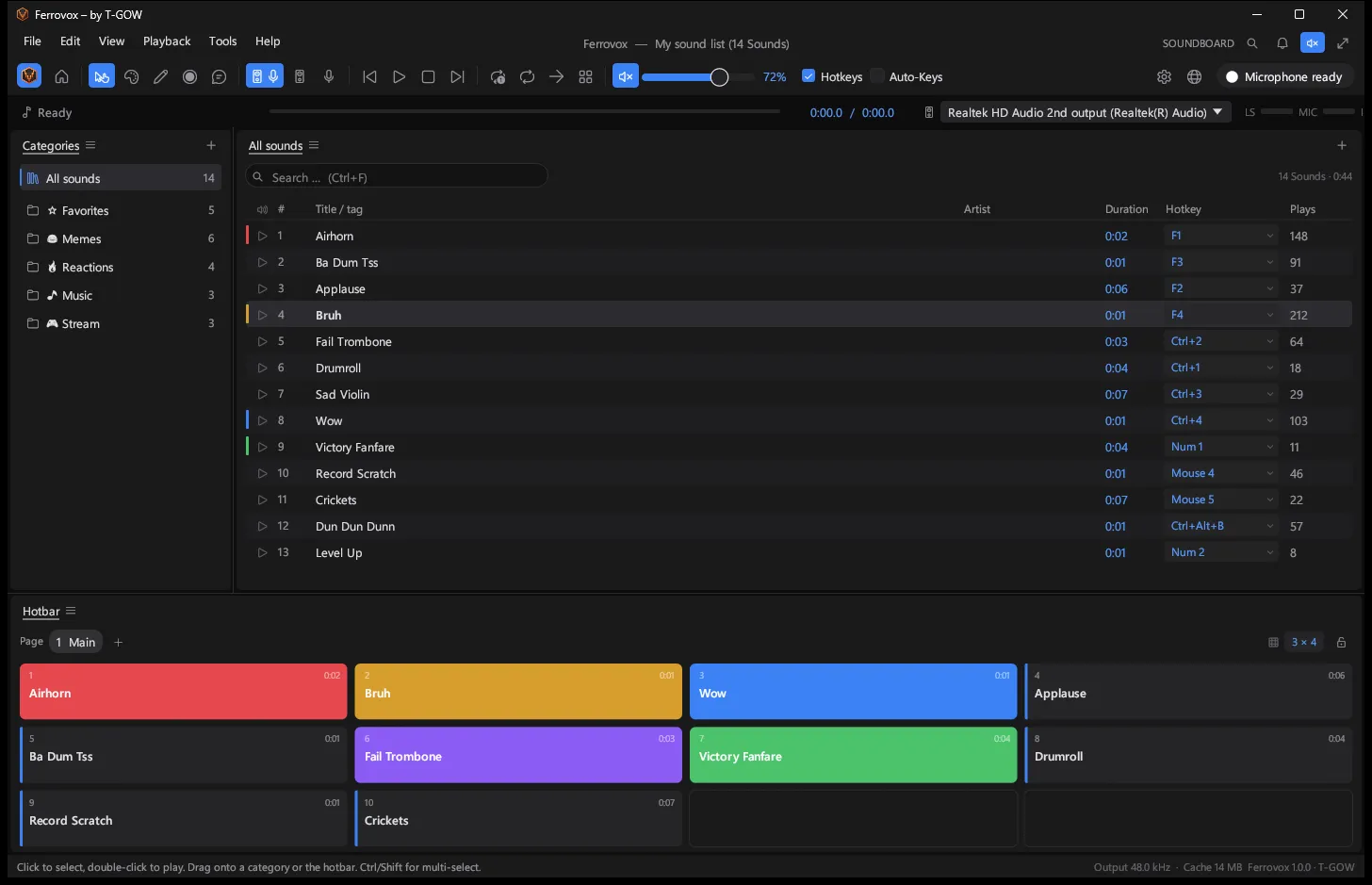
Global hotkeys that work in games, a hotbar, a sound editor, a recorder, text-to-speech and a one-click virtual microphone. In one small native app for Windows. Free, offline and open source.

Version 1.0.2 · Windows 10 · 11 · x64 · x86

Ferrovox main window: categories on the left, a sound list with durations, hotkeys such as F1, Ctrl+2, Num 1 and Mouse 4, play counts and a colored hotbar

Small. Fast. Thought through.

  • Into your mic, in one click.

    Ferrovox installs the official VB-CABLE driver for you, checks its signature and wires everything up. Your real voice is mixed in, so Discord and games hear you plus your sounds.

  • Hotkeys that work in games.

    A low-level hook catches keys even in fullscreen games, including mouse buttons 4, 5 and middle. Push-to-talk can be pressed for you while a sound plays.

  • Native and tiny.

    One executable of around 7 MB, no Electron, no runtime. A real-time mixer with resampling, fades and clipping protection keeps latency low.

  • Updates itself.

    New versions download in the background and install when you quit. Every update is Ed25519-signed and verified before anything runs.

Your sounds, in every voice chat.

Windows only lets programs into a microphone through a driver. Ferrovox downloads the official VB-CABLE package straight from vb-audio.com, verifies the digital signature and installs it with a single administrator prompt. One more click makes it the Windows default microphone.
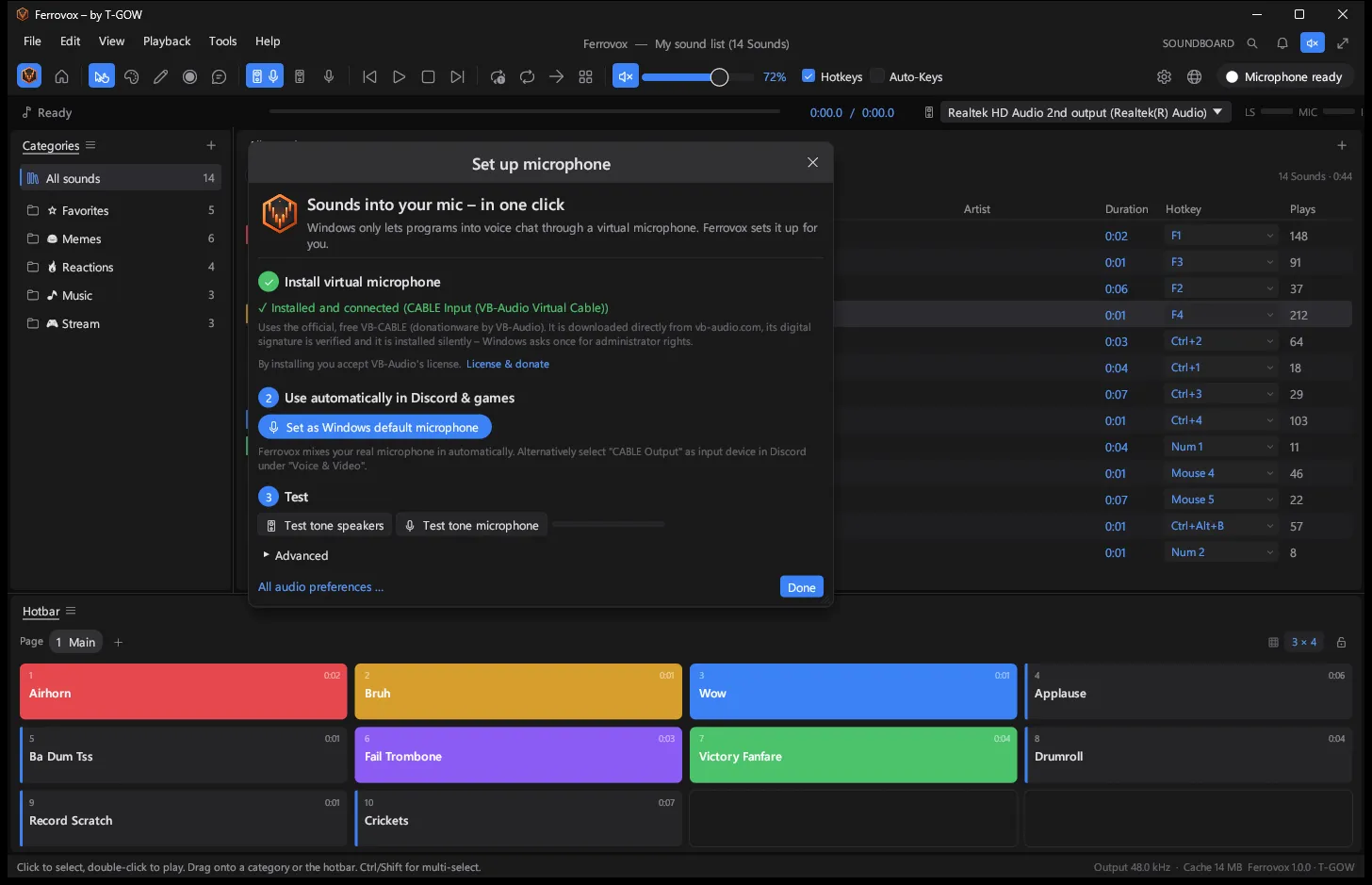
The microphone wizard: VB-CABLE installed and connected, set as Windows default microphone, speaker and microphone test tones

Hotkeys for everything.

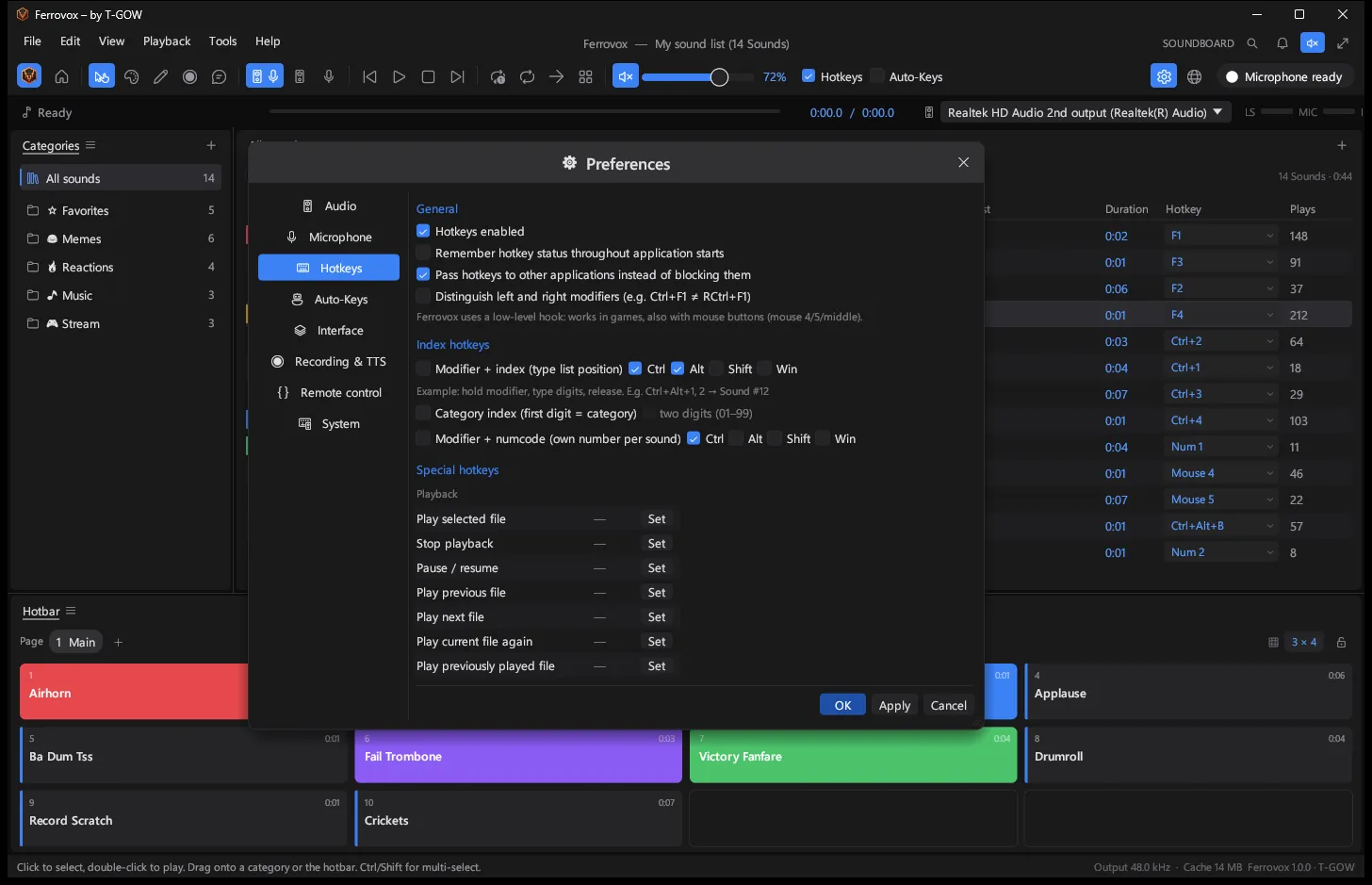
Give every sound its own key, or type its list position with a modifier held down. Around 45 special hotkeys cover play, stop, pause, next, random, volume, recording and text-to-speech.

Preferences, Hotkeys tab: index and number hotkeys with modifiers and a list of special hotkeys

Edit without leaving the app.

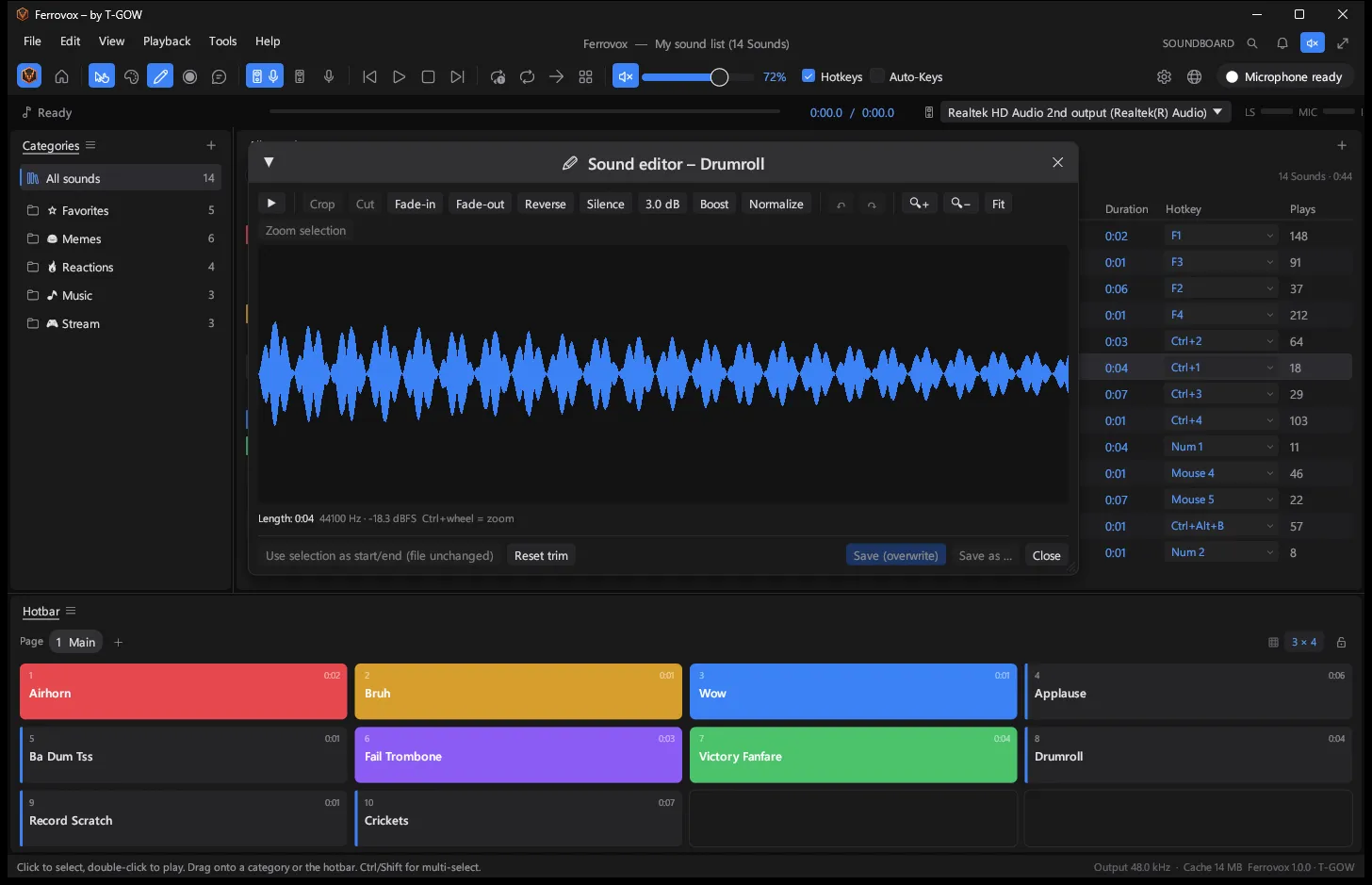
Crop, cut, fade in and out, reverse, insert silence, boost and normalize, with undo and zoom. Or trim non-destructively: Ferrovox remembers the start and end and leaves your file untouched.

The sound editor showing the waveform of a drumroll with crop, fade and normalize tools

Push-to-talk, handled.

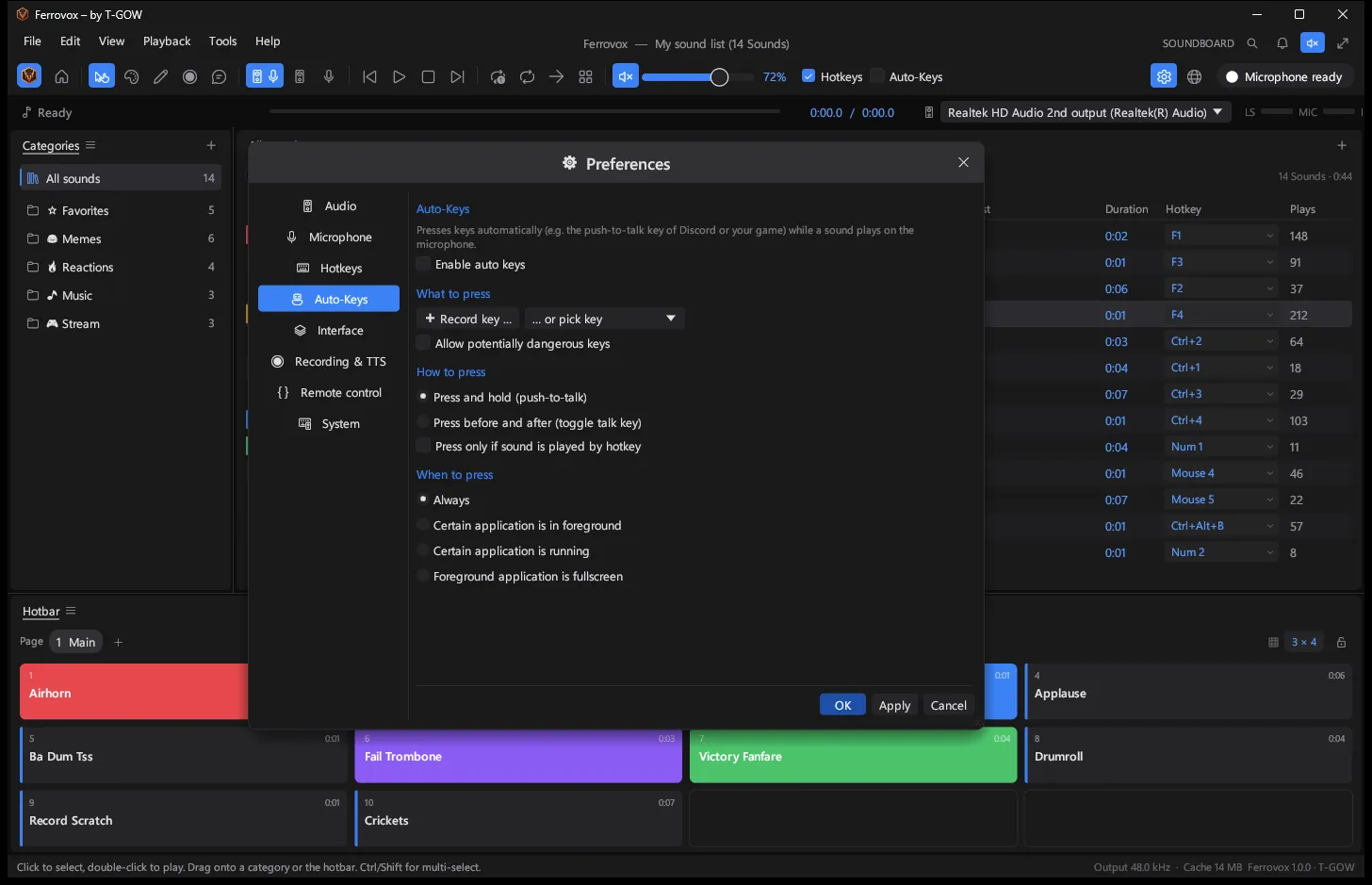
Auto-Keys hold your push-to-talk key for exactly as long as a sound plays. Conditions limit it to a specific game or fullscreen windows. Keys are sent as hardware scancodes, which games accept.

Preferences, Auto-Keys tab: keys pressed automatically during playback, with conditions

Say it. Or record it.

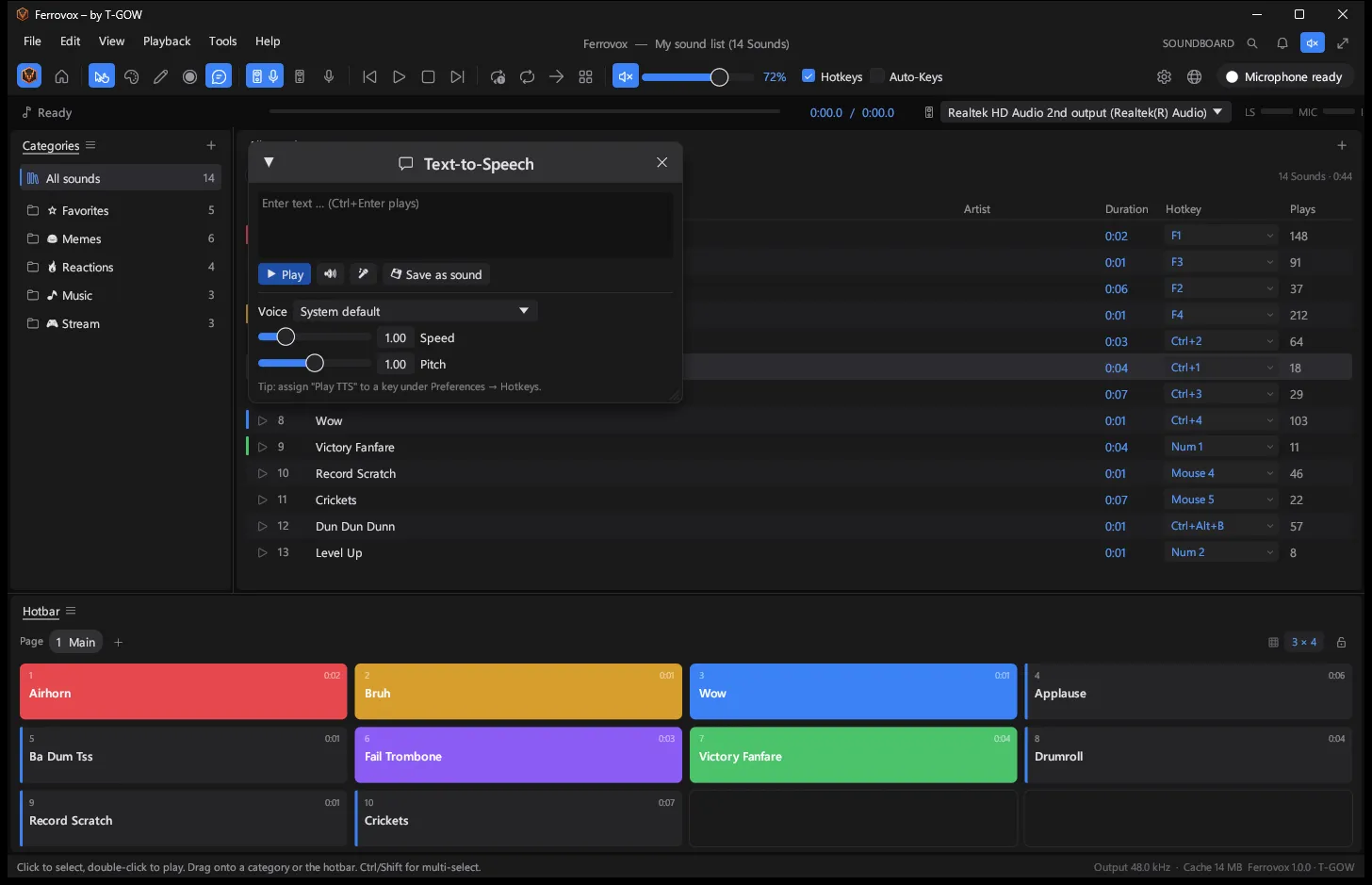
Type a sentence and Ferrovox speaks it into your microphone with any installed Windows voice. The recorder captures what your speakers play or your microphone hears, trims silence and drops the result straight into your list.

The text-to-speech window with a text field, a voice picker and speed and pitch sliders

Looks the way you like.

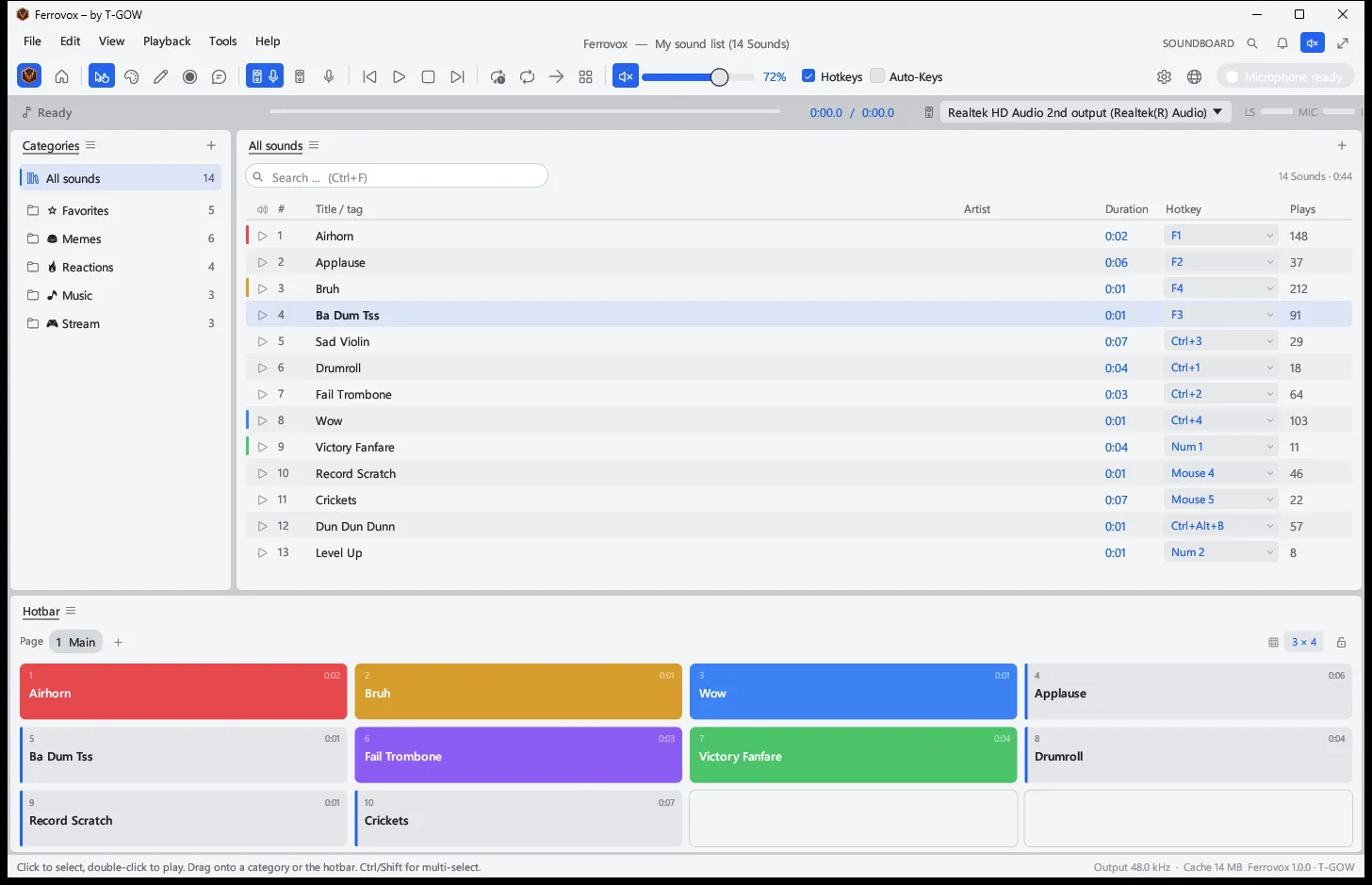
A clean studio look in three themes, with adjustable scaling and selectable columns. The interface follows your Windows language: German on German systems, English everywhere else.

Ferrovox in the light theme with the sound list and hotbar

Tech specs

Version
1.0.2
Platform
Windows 10 and 11, x64 and x86
Language
Rust
Size
Around 7 MB, one executable
Updates
Automatic, Ed25519-signed
Interface
English and German
License
MIT or Apache-2.0
Price
Free

Ready when you are.